AI-powered ordering for restaurants
The operating system for independent restaurants
Quorvia runs online ordering, answers your phones with AI, and puts every order on one kitchen display, so your team can cook instead of answering calls.
No new hardware. Live in days, not months.
- Calls answered by AI, including nights and rushes
- 24/7
- Calls answered by AI, including nights and rushes
- Menu that powers web, phone and counter
- 1
- Menu that powers web, phone and counter
- New hardware to buy. Use the tablets you have
- 0
- New hardware to buy. Use the tablets you have
- Of your customer relationships stay yours
- 100%
- Of your customer relationships stay yours
The platform
One platform. Every order.
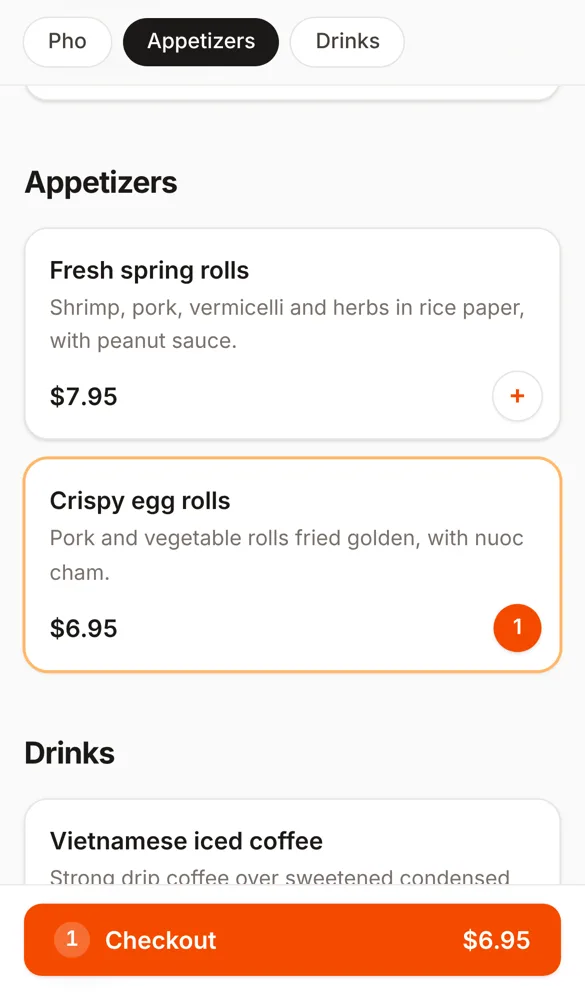
Your website, your phone line and your counter run on the same menu and feed the same kitchen. Change a price or mark an item sold out once, and it updates everywhere.
Online ordering
Your brand, your customers
A fast, mobile-first ordering page on your own domain, an Order online button for your website, and QR codes for the table and window. No marketplace sending your regulars to a competitor.
- Your domain and your branding
- Website button, popup or embed
- Paid orders go straight to the kitchen
AI phone agent
Every call answered, every time
A natural-sounding AI picks up instantly, day or night. It knows your menu and options, takes pickup orders and reservations, reads the order back, and texts a secure payment link.
- No hold music, no missed calls
- Transfers to staff on request
- Discloses AI and recording up front
Kitchen and counter
One screen runs the line
Web, phone and walk-in orders land on one kitchen display that chimes until someone accepts. The counter screen rings up walk-ins with cash, your card machine or scan to pay.
- Works on any tablet you own
- 58 and 80 mm receipt printing
- A login for every location
Payments and payouts
Card payments on Stripe, paid out to your own bank account. One-tap refunds.
Hours and throttling
Opening hours, holidays, pause and busy modes, and sold-out items, in one place.
Table reservations
The phone agent books tables against your capacity rules and confirms by text.
Multi-location
Run every location from one account, each with its own kitchen and menu settings.
Website ready
A button, popup widget or full embed for any website builder, plus custom domains.
Automatic safeguards
Orders nobody accepts cancel and refund themselves, and customers are told by text.
AI phone agent
Never miss another order on the phone
Friday rush, ten minutes before close, or 3 a.m. The Quorvia agent answers on the first ring, speaks naturally, knows every item and option on your menu, and sends finished orders straight to the kitchen.
- Takes pickup orders and reservations
- Reads the order back to confirm
- Texts a secure card payment link
- Hands off to staff when asked
Example call
Golden Pho · pickup order
Thanks for calling Golden Pho. This call is answered by an automated assistant and may be recorded. What can I get you?
Can I get two large pho tai, extra basil, and a Thai iced tea?
Two large Pho Tai with extra basil and one Thai iced tea. That's $33.70. Would you like to pay now? I can text you a link.
Yes, text me.
Done. It'll be ready at 7:15. See you soon!
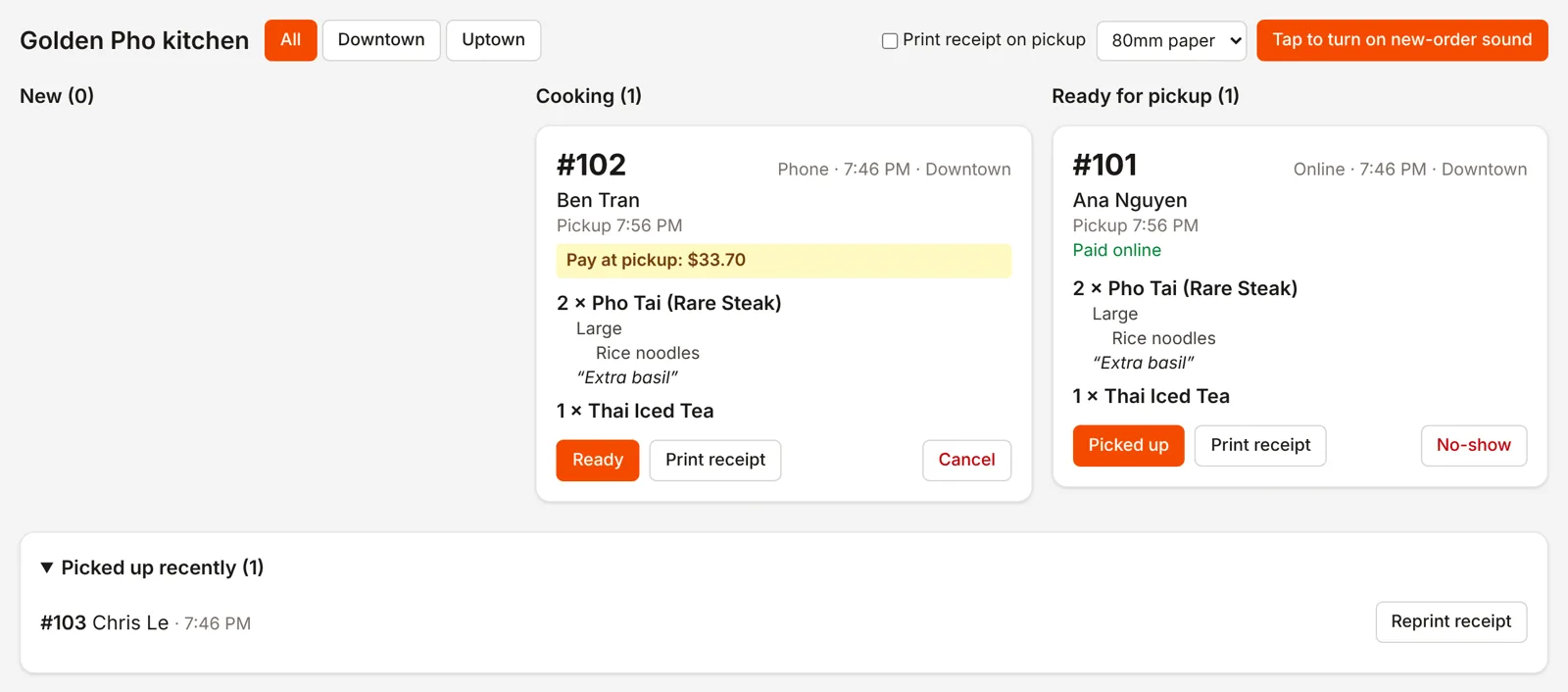
Kitchen display
The whole line, on one screen
Online, phone and walk-in orders appear together, marked paid or pay at pickup, with every option and note. The display chimes until someone accepts, and texts your manager if an order sits too long.
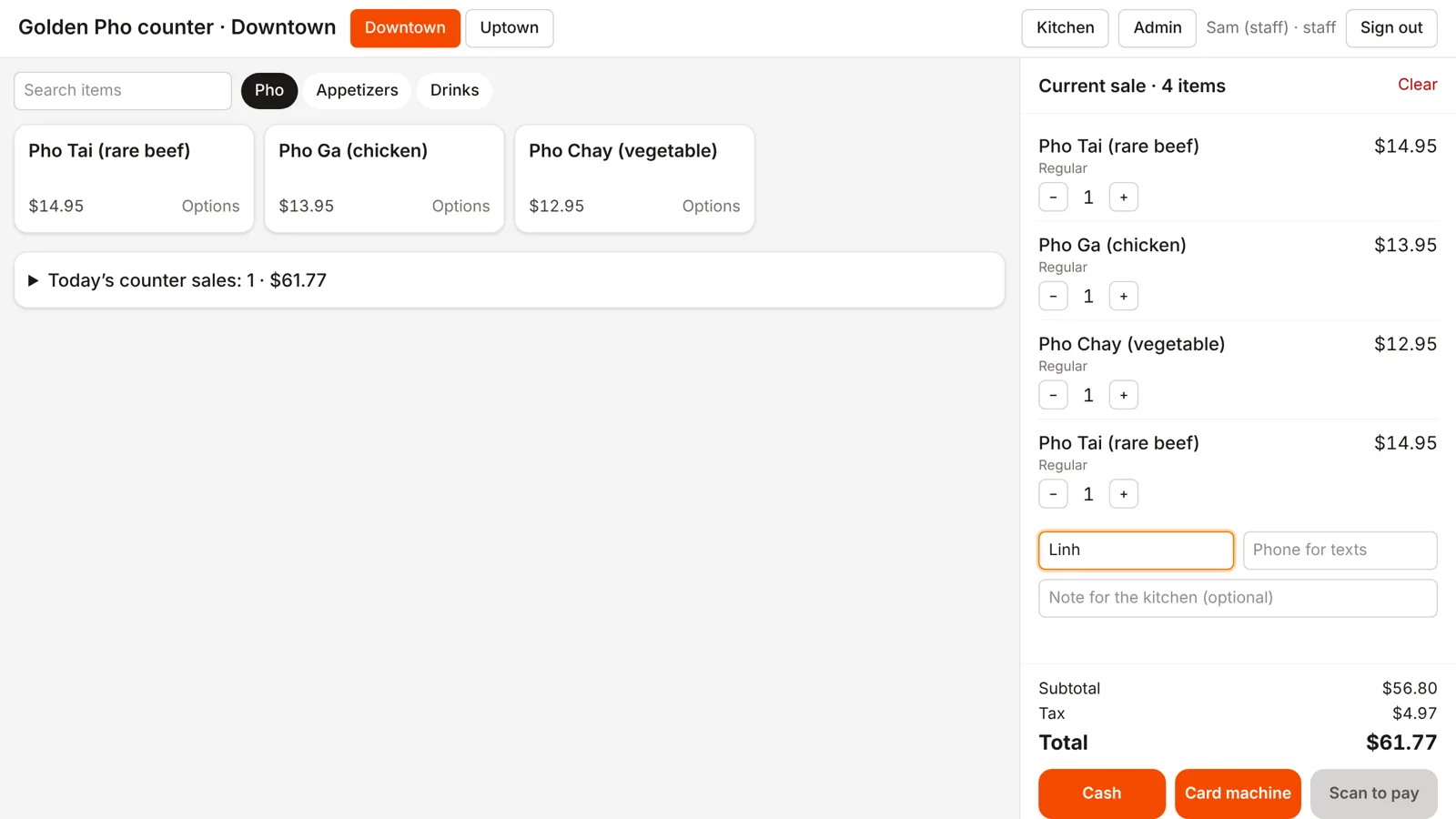
Counter
Walk-ins, rung up in seconds
Take cash with change due, use the card machine you already have, or let guests scan to pay on their phone. Counter orders go to the same kitchen display.
Onboarding
Live in days. We do the setup.
- Step 01
Tell us about your restaurant
Share your menu and how you take orders today. A link or a photo of the menu is enough.
- Step 02
We build and connect everything
Our team builds your menu, connects Stripe payouts to your bank, and sets up your AI phone line and kitchen display.
- Step 03
Go live
Add the Order online button to your website, forward your phone, and open the kitchen display on a tablet.
See it for yourself
Order from our demo restaurant the way your customers would. It runs in test mode: pay with card 4242 4242 4242 4242, any future date and any CVC.
FAQ
Questions, answered
Do I need new hardware?+
No. The kitchen display and counter run in a web browser on any tablet or computer. Receipt printing works with standard 58 mm and 80 mm receipt printers.
Can I keep my restaurant's phone number?+
Yes. We give the AI its own line and you forward your existing number to it, for every call or only when nobody picks up.
Do callers know they're talking to an AI?+
Yes. The greeting says the call is answered by an automated assistant and may be recorded, and callers can ask for a person at any time.
I already have a POS. Does this replace it?+
It doesn't have to. Orders can show on our kitchen display alongside your POS, and Square restaurants can take payments through their own Square account.
How long does onboarding take?+
Most restaurants are live within a few days. We build your menu, connect payments and the phone line, and hand you the button for your website.
Bring Quorvia to your restaurant
Tell us about your restaurant and our team will reach out within one business day to set you up or walk you through a live demo.
- Done-for-you menu and phone setup
- Payouts straight to your bank
- No new hardware to buy